


Chatbooks Family Photo Books
4.36.77K Reviews
App Specs
- Version
- 5.17.6
- Updated On
- License
- Free
- Downloads
- 1,000,000+
- Developer
- Chatbooks
- Categories
- Photography
- Platform
- Android
Screenshots

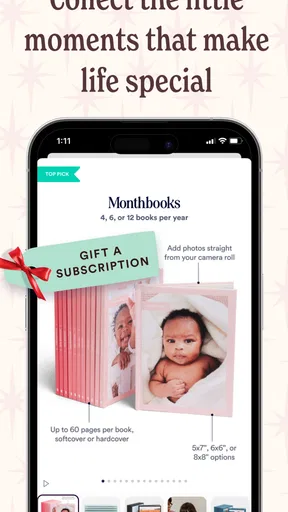
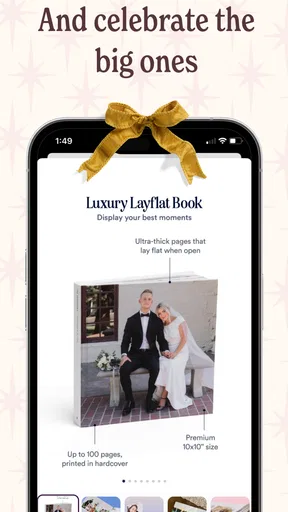
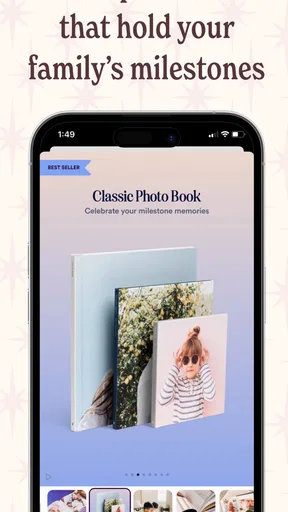
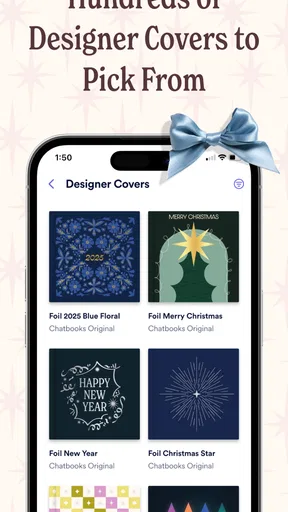

 Analysis by AppCompare
I like photo apps that solve a real problem instead of giving me one more place to scroll. Chatbooks Family Photo Books takes a practical approach: it helps turn the pictures already sitting on a phone into printed photo books for trips, celebrations, and ordinary family moments. After spending time with it, I see the appeal clearly. The app is less about elaborate photo editing and more about reducing the distance between taking a picture and making something tangible from it.
That distinction matters. If you want a full creative studio with detailed color controls, layered designs, or extensive typography, this is not where I would start. If you have thousands of family photos and good intentions but rarely organize them, the simpler workflow is the main attraction. I found the experience most useful when I treated it as a regular memory-keeping habit rather than a one-off design project.
How Chatbooks fits into everyday photo keeping
Chatbooks Family Photo Books is a free photography app from Chatbooks, designed around creating physical books from digital images. It is available to an Everyone audience, and the current Android release is version 5.17.6, supporting devices running Android 7.0 or later. The app has been available since September 15, 2014, so it is not a new experiment trying to prove that printed photos still matter.
Its position is easy to understand: your phone is excellent at collecting memories, but not always at helping you revisit them. A camera roll can become a long, unmanageable stream of screenshots, duplicate shots, receipts, and blurry attempts. A photo book forces a little structure. Even a modest selection of images can become a physical record that is easier to browse with children, share with relatives, or keep on a shelf.
The app is free to install, while the practical value comes from the book-ordering experience rather than from editing photos for its own sake. That means I would not judge it like a conventional camera app. The important questions are whether it makes selection manageable, whether the result feels personal enough, and whether the process saves time compared with arranging a book through a general printing service.
The current experience: simple choices over deep design
My first impression is that the product favors momentum. The less time I spend deciding between dozens of layouts, the more likely I am to finish a book. That is a sensible choice for family albums, where the emotional value usually comes from the images and sequence rather than from sophisticated graphic design.
The trade-off is control. A streamlined photo-book workflow can feel liberating when I am working through a weekend trip, but restrictive when I have a very specific visual idea. I would choose this app for a chronological family record, a holiday recap, or a small collection of everyday moments. I would look elsewhere for a portfolio, a carefully art-directed wedding album, or a book that depends on exact page composition.
Worth Reading Before You Choose

EA SPORTS FC Mobile 26 Is a Bigger Football Game, but It Takes Time

Flipboard Shows What News Apps Must Do Beyond the Feed

Switching to Android Auto Means Rethinking Your Driving Routine

Google Calendar Makes a Crowded Week Easier to Manage

Ludo King Makes the Most of the Minutes Between Plans

Baby Panda World Brings Quick Play to Modern Phones, but Its Game Library Feels Busy
One useful habit is to prepare the photo selection before trying to make the book. I create a temporary album for the occasion, remove near-duplicates, and keep a mixture of wide scenes, close details, and people interacting. This makes the final sequence feel intentional without requiring every page to be designed from scratch. It also prevents the common mistake of filling the book with ten versions of the same group photo.
Another practical tip is to include context while the memory is still fresh. A child’s drawing, a restaurant sign, a train ticket, or a picture of the messy hotel room can make a later book feel more like a story. Those images may not be the most polished, but they explain where the family was and what the day felt like. The app works best when I use it to preserve a narrative, not just a collection of technically perfect portraits.
What has changed over time, and why that matters
Chatbooks has had time to mature as a product. Its release history reaches back to 2014, while the current version is 5.17.6. I would not treat a version number as proof that every part of the experience is perfect, but it does suggest an established service rather than a temporary photo-printing novelty. The important evolution is the continued focus on making printed memories approachable for people who do not want to become album designers.
For an existing user, that maturity is more important than a dramatic visual overhaul. A family photo app becomes part of a routine: selecting pictures after a trip, making a yearly book, or creating a record of a child’s changing interests. Small improvements to reliability and flow can matter more than flashy additions because the main enemy is abandonment. If the process feels like work, the photos stay on the phone.
I also think the app’s long presence changes how I would recommend it. Someone looking for a temporary way to print a single image may find a general print shop more direct. Someone who wants an ongoing system for family albums is more likely to appreciate Chatbooks’ focused identity. The product makes the most sense when the user values consistency and convenience over unlimited customization.
There is a subtle workflow advantage in separating “capture” from “curation.” I do not try to build a book every time I take a good photograph. Instead, I let pictures accumulate in a dedicated album, then return when I have enough material to tell a complete story. This reduces decision fatigue and makes it easier to notice gaps, such as having plenty of scenery but very few pictures of the people who were there.
How it affects people who already have years of photos
The biggest benefit for established users is psychological. A large camera roll can create the feeling that organizing everything is impossible, so nothing gets organized. A focused photo-book app gives the task a smaller boundary. I can work on one vacation, one school year, or one family event without solving the entire archive.
That makes it particularly useful for relatives who are not comfortable with desktop publishing tools. A parent or grandparent may not want to learn a complicated layout editor, but may still want a physical book. The app’s approachable purpose helps remove that technical barrier. I would still review every page before ordering, especially if the book includes important family milestones. Convenience should reduce effort, not eliminate the final quality check.
For households with several people taking pictures, the selection stage requires a little discipline. I recommend agreeing on a shared theme before collecting images: “our beach weekend,” “the first months in the new home,” or “a year of ordinary Sundays.” Without that boundary, the book can become a random archive. With it, even imperfect phone photos can create a coherent record.
A less obvious use is making small memory books for children to handle themselves. Instead of reserving printed albums for major holidays, I could create a compact visual story about a family project, a favorite activity, or a visit with relatives. The value is not photographic perfection. It is giving a child a physical object that helps them talk about experiences they remember only partially.
Where the app is less convincing
The first limitation is that convenience can flatten personality. If I accept the default structure without reviewing the sequence, the result may feel assembled rather than authored. I get better books when I make deliberate choices about the opening image, the final image, and the rhythm between busy and quiet pages.
The second limitation is that a phone-based workflow is not ideal for every project. On a small screen, comparing many similar images or judging how a spread feels can be tiring. For a large, formal album, I prefer a service with a stronger desktop editor and more visible control over every page. Chatbooks is better suited to quick, repeatable albums than to detailed art direction.
There is also a quality trade-off between speed and correction. Automatic or simplified placement can save time, but it increases the importance of checking crops and awkward expressions. A photo that looks fine as a thumbnail may lose an important detail when placed into a page. My advice is to inspect faces, hands, signs, and the edges of group shots rather than approving the book purely from the overall preview.
Another point is emotional rather than technical: not every photo belongs in a printed book. Screenshots, duplicates, and images taken only for temporary reference can dilute the story. The app can help turn a selection into a book, but it cannot decide which memories matter most to your family. That judgment remains the user’s responsibility.
Chatbooks compared with the usual alternatives
Compared with keeping everything in a phone gallery, the advantage is permanence and focus. A gallery is convenient for searching, but it rarely encourages a family to sit together and revisit a particular period. A printed book creates a slower, more social way to look back.
Compared with cloud albums, Chatbooks is less about access across devices and more about producing a physical keepsake. Cloud storage is the better choice when the priority is backup, sharing large collections, or finding a picture quickly. I see the two approaches as complementary: one protects and distributes the archive, while the other gives selected memories a physical form.
Compared with a traditional desktop photo-book service, this app is more approachable but usually less appealing to someone who wants complete layout control. Desktop tools can be better for exact page planning, custom text, and elaborate themes. Chatbooks wins when the alternative is postponing the project indefinitely because the editor feels too demanding.
Compared with a simple local printing service, the app offers a more album-oriented experience. A local shop may be quicker for a handful of individual prints or urgent gifts, while Chatbooks is aimed at turning a group of images into a cohesive book. I would choose based on the outcome I want, not on the assumption that one method is universally superior.
Who should use it, and who should skip it
I recommend it to busy parents, travelers who return with too many pictures, relatives who want a tangible family record, and anyone who repeatedly says, “I should make an album,” but never does. It is especially suitable for users who prefer a guided process and would rather spend time choosing memories than learning design software.
I would skip it if your main goal is advanced photo correction, professional portfolio presentation, or precise control over every visual element. I would also hesitate if you only need occasional single prints. In those cases, a dedicated editing app, a desktop publishing tool, or a local print provider may fit better.
Privacy-conscious users should also think carefully about their own comfort before placing personal family images into any online photo-printing workflow. I do not treat a convenient album service as a replacement for maintaining my own original photo backups. I keep important images stored separately, then use selected copies for the book. That is a sensible habit regardless of which printing app I choose.
A realistic family workflow
Imagine returning from a weeklong family trip with hundreds of images. On the first evening home, I would not attempt to build the entire book. I would create a trip album, remove obvious duplicates, and mark the images that explain the journey: departure, arrival, a few landscapes, meals, small details, and the people together.
A few days later, I would reduce the selection again. I would check whether each day has a clear visual moment, then place the strongest image near the beginning and save a quieter picture for the end. I would look closely at crops and faces, read any text that appears in the images, and ask another family member to review the sequence. This second pair of eyes often catches a photo that is technically attractive but emotionally out of place.
The final step would be deciding whether the book is for the household or for someone else. A family copy can include ordinary, funny images that outsiders might not understand. A gift for a grandparent may need more pictures of the children and fewer landscape shots. The same source album can produce different results depending on the reader, which is why selection matters as much as the app’s automation.
What to watch as you keep using it
When I evaluate a photo-book app over time, I watch for three things: whether it remains easy to return to unfinished projects, whether previews make mistakes visible before ordering, and whether the workflow continues to feel faster than using a general design tool. Those are the areas that determine whether the app becomes a habit or gets forgotten after one book.
I also pay attention to how well the product balances automation with user control. Automation is valuable when it removes repetitive work, but it should not hide decisions that affect the final printed result. The best experience for me is one where the app handles routine arrangement while still making it obvious how to correct an important crop or reorder a meaningful moment.
Its established history and current release make Chatbooks feel like a dependable option for this particular kind of project, but I would still keep expectations realistic. It is not a replacement for a complete photo archive, a professional editor, or a carefully designed publishing suite. Its strength is narrower and more useful: helping ordinary phone photos become a finished family book without demanding a large creative commitment.
The app has an average rating of 4.3 from around 18 thousand ratings, with roughly 6.8 thousand written reviews and over one million installs. Those figures fit my overall impression of a widely used, approachable product rather than a specialist tool. They also explain why I would recommend trying it for one clearly defined project before committing to a long-term album routine.
My final view is positive, with a clear condition: Chatbooks is best when finishing the book matters more than controlling every detail. I would use it for travel memories, family milestones, and the everyday pictures that usually disappear into a camera roll. I would not choose it for a highly customized visual project. For the right user, its greatest achievement is not making photography more complicated; it is making the act of preserving memories feel manageable enough to actually happen.
Pros
- Simple photo selection makes book creation quick for busy families.
- Automatic layouts help turn camera-roll photos into polished albums.
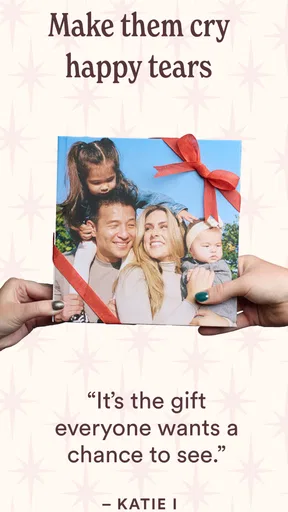
- Printed books make meaningful gifts for relatives and grandparents.
- Subscription options can reduce the cost of ordering several books.
- The app keeps family memories organized in a dedicated photo-book service.
Cons
- Premium upgrades and shipping can significantly increase the final price.
- Print quality may vary depending on the original photo resolution.
- Editing options are limited compared with professional photo-book tools.
- Recurring plans may be easy to overlook if you do not manage subscriptions.
- International availability and delivery times may be limited in some regions.
FAQs for Chatbooks Family Photo Books
What is Chatbooks Family Photo Books, and how does it work?
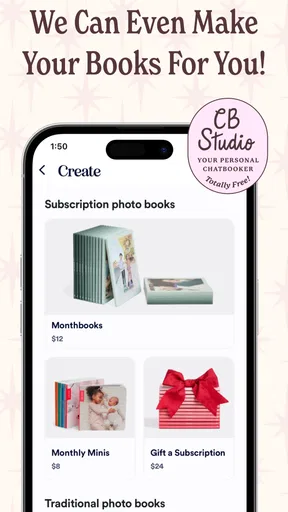
Chatbooks Family Photo Books is a photo-printing app that lets you turn pictures from your phone, social media accounts, or connected photo services into printed albums and other products. After selecting a book style, you can upload images, arrange pages, add captions, and preview the result before ordering. The app is designed to make regular family photo printing easier than creating a traditional album from scratch.
Can I customize a Chatbooks photo book before ordering it?
Yes, Chatbooks provides several customization options, although the exact controls depend on the product and book format you choose. You can generally select a cover style, choose photos, change layouts, add text or captions, and review the page sequence before placing an order. It is worth checking every page carefully, because automatic layouts may crop images or place photos differently than you initially expect.
Where can Chatbooks deliver photo books, and how much does shipping take?
Chatbooks delivery availability, shipping prices, and estimated arrival times depend on your country, the product selected, and the shipping method offered at checkout. Orders are usually printed after submission, so delivery is not immediate. Before paying, review the final shipping total and estimated delivery window shown in the app. Production and transit may also take longer during holidays or promotional periods.
Does Chatbooks require a subscription, or can I order books individually?
Chatbooks offers both individual photo-book purchases and subscription-style options, depending on the service and region available in the app. A subscription may be useful for families who want recurring books created from new photos, while one-time ordering is better for occasional projects. Carefully review the plan description, renewal terms, billing frequency, and cancellation instructions before confirming any recurring service.
Are my photos private and safe when using Chatbooks Family Photo Books?
To create and print an order, Chatbooks needs permission to access the photos and account information you choose to use. The app may also connect with services such as your device gallery or social platforms, depending on the features enabled. Before granting access, review the requested permissions and the company’s current privacy policy. You should also use a secure account password and avoid uploading images you do not have permission to print.


